Control Buttons
Appearance
You can see if a button is activated or deactivated by the buttons color.

FIGURE 5: Buttons activated or deactivated
Shortcuts
Buttons may have shortcuts, hovering the mouse over buttons shows you the current setting.
Buttons in detail
Info
Button to toggle Metainformation panel on/off.
Tree
Button to toggle Model Structure panel on/off.
X-Ray
When active, the selected part is visible although its covered by other parts.
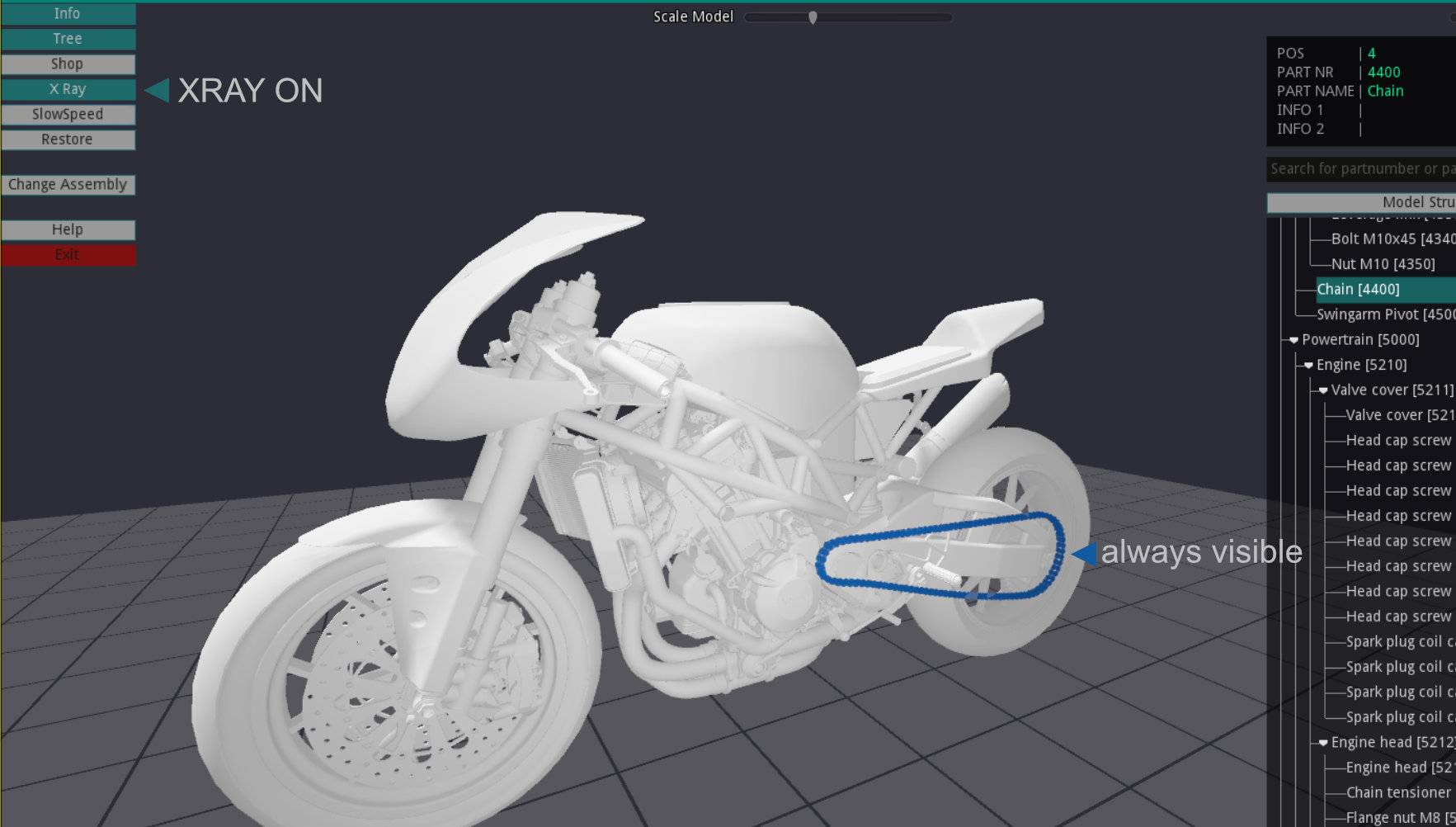
FIGURE 6: X-Ray: ON/OFF
Restore
Restores all deactivated parts in 3D space.
Change Assembly
Brings you back to Startscreen to change the assembly.
Help
Opens this HTML help page.
Exit
Terminates the application.